VALORANT Purchase History and Receipts Guide 2026
Find the official Riot transaction view, understand what receipts prove and handle refunds, missing records and unknown charges safely.
RIOT ACCOUNT
COMPLETE
FOUND
PROTECTED
Use Riot’s official purchase history page.
Open Riot’s Checking Your Purchase History page, sign in to the correct account and review the records shown there. Match them with Riot email receipts or the payment platform when needed. Missing transactions, unauthorized charges and refund questions should go through the relevant official support route.
See the skins before you choose.
Compare visible inventory, region, rank and agent access in one clean view.
 SKIN PREVIEW
How to check VALORANT purchase history
Use Riot’s dedicated billing page rather than a third-party checker. The signed-in Riot account determines which transaction records you see.
Go directly to Riot’s official Checking Your Purchase History page.
Use Riot’s authentication flow and never send credentials through a direct message.
Check the Riot ID and region before treating the records as the right history.
Compare the displayed date, amount and transaction context with your own records.
Use the matching Riot billing or recovery form when something is missing or unfamiliar.
What purchase history can tell you
A purchase record helps reconstruct what happened, but each record should be compared with the original receipt, payment provider and current account inventory.
When it happened
Use the transaction date to match an email receipt, bank entry or platform history.
What was charged
Compare the recorded amount and currency with the payment method statement.
What needs action
A refund, reversal or unknown charge needs a different support route than a normal purchase.
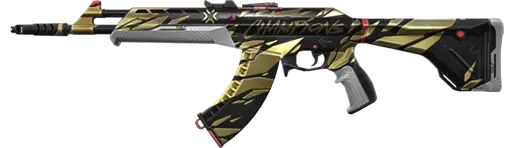

Choose from details you can compare.
Review the visible inventory, region, rank and agent access before checkout.
Purchase history, receipts and inventory are different records
They overlap, but they do not answer the same question. Use all three when a payment or content delivery problem needs investigation.
Purchase history
Riot’s supported account view for transaction records linked to the signed-in account.
Receipt
The email or platform record that may include the amount, date and transaction ID.
Inventory
The content currently visible on the account. It does not replace a payment record.
Purchase history does not guarantee a refund
Riot’s current refund rules decide eligibility. Riot says unused VP and unused eligible content purchased within the allowed period may qualify. Used or upgraded content and several excluded categories do not.
Potentially eligible
- Unused VP purchased within Riot’s stated period.
- Unused eligible base-level content within the period.
- Transactions shown by Riot’s refund tool.
Common exclusions
- Used or upgraded weapon skins.
- Bundles, battle passes and battle pass levels.
- Radianite Points and excluded currency purchases.
Missing purchases and unknown charges
A missing item and an unknown bank charge are not the same problem. Confirm the account, region and payment platform before choosing the support route.
Purchase missing
- Confirm the correct Riot account is signed in.
- Check the payment status and original receipt.
- Restart the client and recheck the inventory.
- Send the legitimate receipt through Riot Support if needed.
Charge not recognized
- Check family access and saved payment methods.
- Review Riot, console and app-store histories.
- Report it through Riot’s unauthorized charge process.
- Contact the payment provider when appropriate.
Keep receipts and transaction IDs private
Receipts can contain information useful for billing support and account recovery. Post only redacted evidence when a public screenshot is truly necessary.
Do not publish it
Share a full transaction identifier only through the official private support route.
Hide card details
Redact card fragments, billing names, addresses and unrelated account information.
Protect the inbox
A receipt screenshot should not expose the address used for recovery or verification.
A receipt supports account history, not ownership by itself
Riot may use transaction IDs alongside registration email, creation date, creation location and other legitimate account information. One screenshot cannot replace the full verification process, and Riot’s Terms prohibit selling or transferring accounts.
Use the login and registered email for the account that actually needs help.
Provide accurate creation and registration information when Riot requests it.
Attach the relevant receipt or transaction ID only through the official ticket.
State what is missing, unknown or incorrect without exposing extra private data.
Find the inventory that fits your taste.
Compare visible skins, rank, region and agent access before checkout.


VALORANT purchase history FAQ
How do you check VALORANT purchase history?
Open Riot’s official Checking Your Purchase History page and sign in to the correct Riot account. Use Riot Player Support if an expected record is missing or incorrect.
Does VALORANT purchase history show every receipt?
Purchase history and receipts are related but not identical. The payment provider, email inbox, console store or mobile platform may hold the actual receipt.
Where can you find a Riot transaction ID?
It may appear in a Riot email receipt or the relevant Google, Apple, console or payment platform history. Keep the full ID private.
Can you refund a VALORANT purchase from purchase history?
Refund eligibility depends on Riot’s current rules. Unused eligible content within the allowed period may qualify, while used, upgraded or excluded content does not.
What should you do about an unknown Riot charge?
Check the correct account and payment provider first. If the charge is still unknown, use Riot’s official unauthorized charge or Player Support process.
Should you share VALORANT receipts publicly?
No. Redact transaction IDs, email addresses, payment information and other private account details.
Can a receipt prove ownership of a Riot account?
A receipt can support legitimate account history, but Riot may verify the original owner using several creation and transaction details together.
Does purchase history show gifted VALORANT content?
The sender’s payment or gifting record and the recipient’s inventory are different records. Check the relevant accounts and Riot’s current gifting guidance.
Related VALORANT payment guides
ALVIRAN is an independent store and is not affiliated with Riot Games. Riot’s Terms prohibit account sharing, selling and transferring. Purchase history and receipts do not replace Riot’s original ownership verification or current billing rules.

