VALORANT Refund Guide 2026: VP, Skins and Battle Pass
Know what Riot can refund, what becomes locked after use and how to request the right refund without creating a chargeback problem.
Local law and game rules may differ.
Unused eligible purchases have the clearest refund path.
Riot’s standard policy covers unused refundable content purchased within the last 14 days. Unused VP may qualify if none of that purchased VP was spent. A weapon skin becomes used when you play with or upgrade it. Battle Passes, bundles, gifts and Radianite are listed as non-refundable.
Compare the inventory before you choose.
See visible skins, rank, region and agent access in one clean view.
 SKIN PREVIEW
Is your VALORANT purchase refundable?
Run the purchase through three questions before opening a ticket. Failing one can close the normal refund path.
Within 14 days?
Riot’s standard window covers unused refundable content purchased in the last 14 days.
On the refundable list?
Premium currency and skins can qualify. Bundles, gifts and event passes do not.
Still unused?
Playing with or upgrading a gun skin makes that content used under Riot’s policy.
VALORANT purchases that may qualify
Eligibility still depends on the date, use status, payment method, local law and the specific self-service tool.
Purchased within 14 days with none of that purchased VP spent.
Base content inside the window that has not been played with or upgraded.
An eligible item on Riot’s refundable list that remains unused.
Only when the payment route can process a refund and Riot’s conditions are met.
What VALORANT purchases are usually locked?
Riot lists these categories as non-refundable even when the purchase is recent.
Used or upgraded skins
Playing with a gun skin or buying its levels makes the content used.
Bundles and gifts
Bundles and gifts, whether sent or received, are on Riot’s non-refundable list.
Battle Pass and Radianite
Event passes, pass levels, weapon levels and regular currency are excluded.
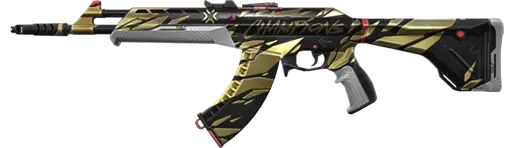

Start with skins already visible.
Review inventory, region, rank and agent access before checkout.
How to request a VALORANT refund
Use Riot’s refund page from the account that made the purchase. Do not use unofficial refund tools or start with a bank reversal.
Do not equip, play with, upgrade or buy variants while deciding.
Confirm the transaction falls inside Riot’s standard 14-day window.
Use the same Riot account that made the purchase.
Select an eligible transaction shown by Riot or submit the correct support ticket.
Retain the receipt, item name, VP amount, purchase date and payment route.
When Riot considers a weapon skin used
Riot’s global policy says playing with or upgrading a gun skin qualifies as using that content. The safest approach is to leave a questionable purchase untouched.
Played with
Using the weapon skin in play makes the content used under Riot’s definition.
Upgraded
Buying levels or variants uses Radianite and closes the clean base-skin refund path.
Bought in a bundle
Bundles are listed separately as non-refundable, even when individual items look eligible.
Where the refund is processed
Real-money refunds normally return to the original payment method when that method supports refunds. Third-party marketplace purchases follow that platform’s own cash-refund process.
Paid directly through Riot
- Use Riot’s refund or purchase history page.
- The original payment method must support refunds.
- Gift and prepaid cards may not support cash returns.
- Riot may offer an appropriate amount of game currency instead.
Paid through a platform
- PlayStation and Xbox apply their own store processes.
- Apple, Google and Samsung handle their marketplace refunds.
- Riot cannot override a third-party refund denial.
- Check the actual payment route before opening a case.
Refunds and chargebacks are not the same
A refund is approved through Riot or the marketplace. A chargeback is a bank or payment-provider reversal. Riot says a chargeback can suspend the account. In VALORANT, Riot may remove the related content or deduct the corresponding VP, which can create a negative balance.
Normal refund
- Uses Riot’s official eligibility rules.
- Removes the refunded content from the account.
- Returns currency or money through the supported route.
Chargeback
- Can suspend the Riot account.
- Can remove content or create negative VP.
- Repeated chargebacks can lead to stronger enforcement.
Check these details before spending VP
Confirm the skin is for a weapon you actually use.
Watch official previews before spending non-refundable Radianite.
Do not buy a non-refundable bundle for one item you only might want.
Know whether Riot or a third-party marketplace processes the payment.
Find the setup you actually want.
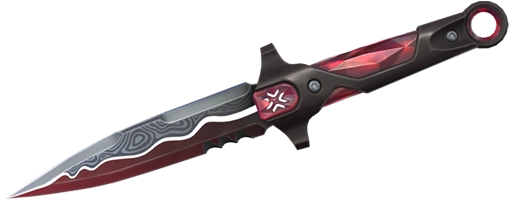
Compare visible skins, rank, region and agent access before checkout.

VALORANT refund FAQ
Can you refund VALORANT skins?
An unused eligible weapon skin purchased within the last 14 days may qualify. Playing with or upgrading it normally removes eligibility.
Can unused VALORANT Points be refunded?
Unused VP bought with real money may qualify within 14 days if none of that purchased VP has been spent and the payment method supports refunds.
Can you refund the VALORANT Battle Pass?
No. Riot lists the Premium Battle Pass and Premium Battle Pass levels as non-refundable.
Can you refund Radianite Points?
No. Riot lists regular in-game currency such as Radianite Points as non-refundable.
Can you refund a VALORANT bundle?
No. Riot lists bundles as non-refundable even when the individual content has not been used.
Can you refund a VALORANT gift?
No. Gifts are non-refundable whether they were sent or received.
How do you request a VALORANT refund?
Sign in to the account that made the purchase and use Riot’s official refund or purchase history page. Submit a Player Support ticket if needed.
Is a chargeback the same as a VALORANT refund?
No. A chargeback reverses a payment through a bank or provider and can suspend the account or create a negative VP balance.
Related VALORANT payment guides
ALVIRAN is an independent store and is not affiliated with Riot Games. Refund eligibility depends on Riot’s current policy, local law, payment method and platform. Riot’s Terms prohibit account sharing, selling and transferring.

