VALORANT Account Security Checklist 2026
Protect the email, Riot login, MFA, linked services and recovery path in the right order before a warning sign becomes an account loss.
Secure the email before the Riot login.
The associated inbox is a primary recovery path. Give it a unique password and MFA first. Then use a separate Riot password, enable a supported Riot MFA method and review connected services, purchases and security notifications.
Start with account details you can clearly compare.
Review region, rank, agent access and inventory in one clean view.
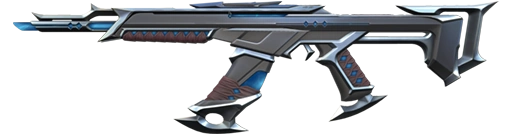 INVENTORY PREVIEW
Protect recovery access first
A password change is not enough if another person can still open the attached inbox. Secure the email account, its recovery methods and its own MFA before changing the Riot password or adding Riot MFA.
Email and recovery
Confirm the inbox, recovery email and recovery phone are controlled only by the legitimate owner.
Riot credentials
Create a long password that has never been used on email, Discord or another service.
MFA and review
Add a supported second factor, then inspect connections, purchases and alerts.
What Riot’s 2026 security rules mean
Riot’s Terms require players to keep login credentials secret. They also state that accounts and credentials cannot be shared, sold or transferred. Security steps can reduce technical risk, but they do not remove policy or enforcement risk.
Riot’s verification rollout requires Riot Mobile MFA for certain detected shared accounts and Ascendant or higher accounts in covered regions. The rollout includes EU from Patch 12.01 and APAC from Patch 12.03. Riot also reported that 80 to 90 percent of stolen accounts in its data had MFA disabled.
Account protection
- MFA adds another barrier after the password.
- Email and device security still matter.
- Only enter credentials through Riot’s official authentication flow.
Policy and access risk
- Riot prohibits sharing, selling and transferring accounts.
- More people and devices create more recovery exposure.
- Security advice cannot change Riot’s ownership rules.
The seven point VALORANT account security checklist
Work from the recovery layer outward. Do not start with skins, rank or spending until these seven checks are clean.
Use a unique password, email MFA and current recovery information.
Never reuse a password from email, Discord, a shop or another game.
Choose a supported method and keep its recovery path private.
Check the email, region and legitimate profile information for unexpected changes.
Confirm every console, Twitch, Discord or social connection is expected.
Remove unneeded payment methods and investigate unknown purchases or refunds.
React to unfamiliar login emails, password resets and security prompts immediately.
Email, password and MFA do different jobs
The email receives recovery messages. The Riot password blocks direct login attempts. MFA asks for another proof. Strong protection needs all three layers rather than one impressive setting.
Email account
Protect it with its own unique password and MFA. Never share the inbox.
Riot password
Use a long, unique value stored in a trusted password manager.
Supported MFA
Use Riot Mobile, an authenticator app or email verification where available.
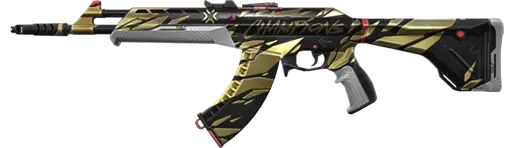

Know the account details before adding your own setup.
Region, rank, agent access and inventory stay visible for an easier comparison.
Check activity, connections and payments
Security is not finished when MFA turns green. Review the account for unfamiliar services, reset emails, purchases and activity. A connected console or social profile can reveal a setup that needs investigation.
Review now
- Read recent login, password and verification emails.
- Confirm every connected console and social service.
- Inspect purchase history for unknown activity.
- Remove payment methods that should not remain attached.
Do not ignore
- Password or email changes you did not request.
- Unknown matches, settings or Riot ID changes.
- Connections you do not recognize.
- Purchase, refund or chargeback notices you did not expect.
VALORANT account security red flags
Unexpected resets
A password or email reset you did not request can mean someone is testing the recovery path.
Unknown changes
Unfamiliar matches, settings, connections or purchases can point to another session.
Credential requests
Do not send passwords, MFA codes or recovery data to a person in direct messages.
Recover a compromised Riot account safely
Use Riot’s official recovery tool or Player Support, never a person in direct messages claiming they can restore the account. Riot Support may need legitimate account information to verify the original owner.
Secure email
Change the email password, add email MFA and review its recovery options.
Clean the device
Update the system and remove suspicious software before entering new credentials.
Use Riot recovery
Start through Riot’s official tool or Player Support.
Review everything
Restore unique credentials and inspect connections, purchases and alerts.
Choose a setup you understand from the start.
Review the visible region, rank, agent access and inventory before checkout.


VALORANT account security FAQ
What should I secure first on a VALORANT account?
Secure the associated email account first because it is a primary recovery path. Then use a unique Riot password, enable supported MFA and review connected services and security activity.
Which MFA options does Riot support?
Riot lists Riot Mobile, authenticator apps and email verification codes as MFA options. Availability and requirements can depend on the account, region and current Riot policy.
Is Riot Mobile MFA required for every VALORANT account?
No. Riot Mobile MFA is required for certain accounts, including detected shared accounts and Ascendant or higher accounts in regions covered by Riot’s verification rollout. Other players can still enable MFA voluntarily.
How can I tell if a VALORANT account was compromised?
Warning signs include unexpected login or reset emails, changed credentials, unfamiliar connected services, unknown purchases, altered settings or match activity you do not recognize.
What should I do if my Riot account is hacked?
Secure the associated email and device, then use Riot’s official account recovery tool or Player Support. Replace reused passwords and restore supported MFA after access is recovered.
Does MFA make a Riot account completely safe?
No. MFA adds an important barrier, but the email account, password quality, device security, connected services and recovery information must also be protected.
Where should I enter my Riot login details?
Riot’s account security guidance says not to use Riot credentials on sites other than authenticate.riotgames.com. Avoid links and direct messages that ask for passwords or verification codes.
Does Riot allow VALORANT accounts to be shared or sold?
No. Riot’s Terms state that accounts and login credentials cannot be shared, sold or transferred. Security steps do not remove that policy or enforcement risk.
Related VALORANT account guides
Editorial note: the account sharing rule, MFA options, Riot Mobile requirements and recovery guidance are checked against the official Riot sources cited above. Security controls reduce technical risk but do not change Riot’s Terms or guarantee account recovery. Product availability, region, rank, access and inventory should always be checked on the relevant listing before purchase.

