How to Change Your VALORANT Email in 2026
Update the address through Riot Account Management, finish the verification step and know when to stop and contact Player Support.
Change the email in Riot Account Management.
Sign in at account.riotgames.com, open the personal account information, replace the email and complete the verification Riot shows for your account. If you cannot access the required inbox or verification fails, stop and use Riot Player Support.
See the inventory before you choose.
Compare region, rank, agent access and skins in one clean view.
 INVENTORY PREVIEW
How to change your VALORANT email
VALORANT uses your Riot Account. The change happens on Riot’s account website, not inside the VALORANT settings menu or Riot Client.
Go directly to account.riotgames.com and sign in through Riot’s official authentication flow.
Check the displayed Riot ID and region so you do not edit the wrong account.
Find the account email field in the personal account information area.
Use a private address that you control and do not share with another person.
Follow the verification prompt and confirm that the new address appears on the account.
Three checks that prevent the wrong change
Most email problems come from editing the wrong account, losing access during verification or moving the account to another weak inbox.
Confirm the Riot ID
Players with multiple Riot accounts should verify the Riot ID, region and inventory first.
Secure the new email
Give the inbox a unique password, its own MFA and current recovery information.
Keep the flow open
Do not close verification pages or request many codes at once while completing the update.
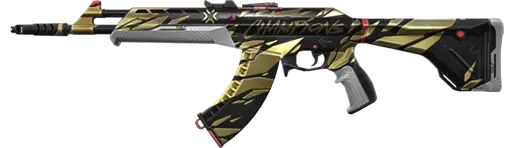

Choose the details that fit your setup.
Review region, rank, agent access and inventory before checkout.
What to do without the old email or verification code
Do not guess ownership details and do not pay an unofficial person to change the address. The correct next step depends on whether the inbox is merely delayed or genuinely inaccessible.
Code not arriving
- Confirm the displayed email address is correct.
- Check spam, junk and filtered folders.
- Wait briefly before requesting another code.
- Use Riot Player Support if the message still never arrives.
No access to the inbox
- Stop the normal self-service flow.
- Open a ticket through Riot Player Support.
- Prepare legitimate account creation and transaction information.
- Never send a password or MFA code to another person.
Email, username and Riot ID are different
Changing one field does not rename or relocate the whole account. Each item has a separate job.
Account email
Private communication and recovery information. It is not displayed to other players.
Login username
The private credential used to sign in. It is separate from the public in-game name.
Riot ID
The public game name and tagline shown across Riot games that use Riot ID.
Five checks after changing the email
Seeing the new address is the start, not the end. Close the remaining recovery and security gaps while the change is fresh.
Confirm Riot messages arrive and the address is displayed correctly.
Use a unique email password, email MFA and private recovery options.
Never reuse the new email password as the Riot account password.
Choose a supported Riot MFA method and keep its recovery path private.
Check every console, social service and payment method attached to the account.
VALORANT email change red flags
Unofficial login page
A tool or direct message that asks for Riot credentials is not a safe email change route.
More than one owner
A shared or temporary email leaves recovery access outside one person’s control.
Unexpected changes
Unrequested email or password notices can indicate another person is testing access.
Email control does not replace ownership
Riot’s Terms require login credentials to stay secret and prohibit sharing, selling or transferring accounts. Riot also says Player Support can only assist the original owner. An email change may update account contact information, but it does not rewrite account history or remove policy risk.
Support may verify
- Original registration email and account creation details.
- Creation location and linked login information.
- Transaction IDs from legitimate receipts.
Never provide
- Your Riot password to a support stranger.
- MFA codes in direct messages.
- Recovery information to an unofficial service.
Start with a setup worth keeping.
Review the visible region, rank, agent access and inventory before checkout.


VALORANT email change FAQ
Can you change the email on a VALORANT account?
Yes. VALORANT uses a Riot Account, so the account email is managed through Riot Account Management. Sign in to the correct Riot account, edit the email under personal account information and complete any verification Riot requests.
Where do you change your VALORANT email?
Use Riot’s official Account Management page at account.riotgames.com. Do not enter Riot credentials into unofficial email change tools or direct message links.
Do you need access to the old email to change a Riot email?
Riot may require verification during an account information change. If you cannot complete the verification shown for your account, stop and contact Riot Player Support.
What if the Riot verification email does not arrive?
Confirm the address, check spam and filtered folders, wait briefly and request a new code only through Riot’s official page. Use Player Support if it still does not arrive.
Is a VALORANT email the same as a Riot ID?
No. The email is private account information used for communication and recovery. The Riot ID is the public game name and tagline.
Does changing a VALORANT email change the account region?
No. An email change does not by itself change the Riot account region, shard, rank or inventory.
Can Riot Support change an account email?
Riot Player Support can review legitimate access and ownership problems, but it may require account information to verify the original owner. Support does not need your password.
Does changing the email fully secure a VALORANT account?
No. Protect the email with its own unique password and MFA, then use a separate Riot password, enable supported Riot MFA and review connected services and notifications.
Related VALORANT account guides
ALVIRAN is an independent store and is not affiliated with Riot Games. Riot’s Terms prohibit account sharing, selling and transferring. Follow Riot’s current rules and use Player Support for legitimate ownership or recovery issues.

