
Counter-Strike 2 / Practical guide
CS2 Trade Protection Explained: 7 Days, Trade Reversal and the 30-Day Cooldown
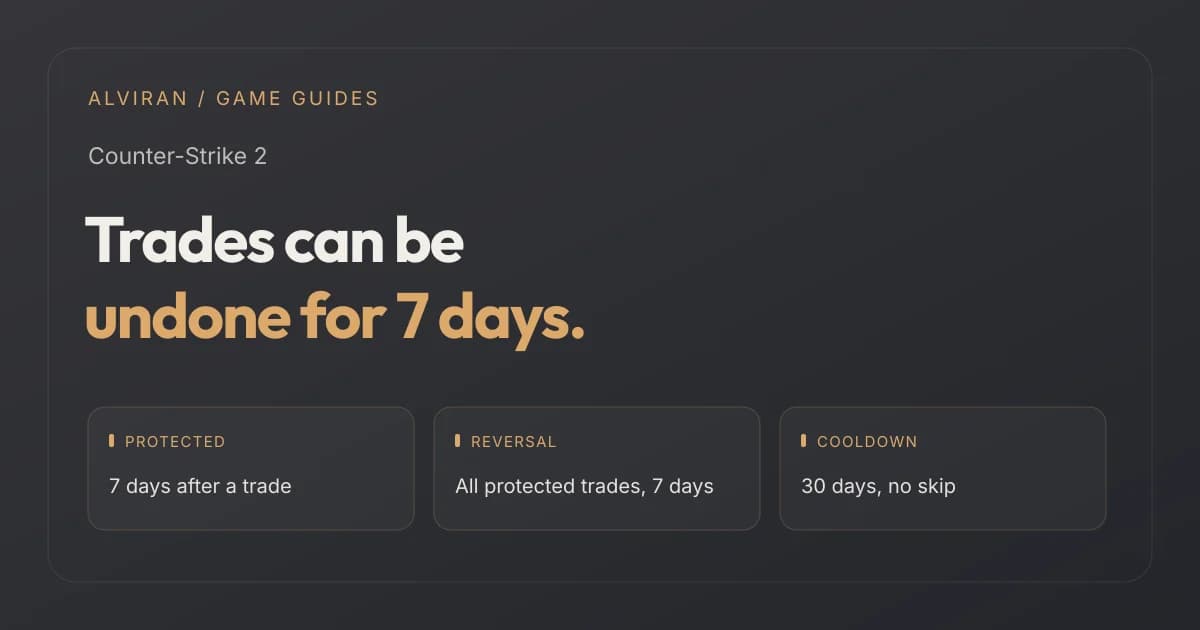
Since July 2025, every CS2 item you receive in a trade is Trade Protected for 7 days: you can use it, but not consume, modify or move it. Learn how trade reversal works, what the 30-day cooldown is, what Valve's earlier 7-day re-trade note says, and what it means when you buy skins or an account.
ALVIRAN Editorial · Reviewed 2026-10-12
In this guide
Looking for a Counter-Strike 2 account?
Compare profile rank, Premier rating, medals and Steam level on every listing. This guide explains the item side of trading.
1. What Trade Protection is
Valve's Trade Protected Items FAQ describes Trade Protection as a feature some games support that lets you reverse recent trades, designed to help if you lost items after losing control of your account. Valve introduced it in its news post of 16 July 2025 (UTC), and says you can review recent trades and find the reversal feature on the Trade History page of your Steam account.
The FAQ says Counter-Strike 2 is currently the only game with Trade Protected items, and that Valve plans to make it available to other games as it learns more.
2. What happens after a trade
| When | What happens to the items |
|---|---|
| Trade confirmed | The items are delivered immediately and you can equip and play with them in game. |
| For the next 7 days | The items are Trade Protected and cannot be consumed, modified or transferred, including being moved to a Storage Unit. |
| After 7 days | The Trade Protected status expires and the trade can no longer be reversed. |
Valve says all Counter-Strike 2 items are Trade Protected for 7 days after being received in trade, and that protected items are clearly marked in the Steam Inventory and the Steam Trading interface with a shield. You cannot mix protected and non-protected items in the same trade, and you cannot opt out once a game has protected its items.
3. How a trade reversal works
Make sure you control the account
Valve's first instruction is to check that you are in control of your Steam account. If you are not sure whether someone else has access, contact Steam Support.
Open Trade History
You review the trades containing Trade Protected items, and start the reversal, from the Trade History page of your Steam account. You do not need to write to Steam Support.
Reverse the trades
Choosing to reverse reverses all trades containing Trade Protected items from the last 7 days, not a single trade.
When you do, Valve says all items from those trades return to their previous owners, and your account is restricted from trading and using the Community Market for 30 days. If you started the reversal, your items listed on the Market are returned to you and your pending trade offers are cancelled.
Ask when the items arrived
A skin that came in by trade less than 7 days ago is still protected. Compare what a listing shows with the rules in this guide.
4. The 30-day cooldown
| Question | Valve's answer |
|---|---|
| Who is restricted? | Only the account that initiated the reversal. Its trade partners are unaffected. |
| What is restricted? | Trading and the Steam Community Market, for 30 days. |
| Can Support lift it? | No. Steam Support cannot modify trade and market cooldowns associated with reversing trades. |
| Which trades can be reversed? | Only trades created as Trade Protected, with the yellow shield. Trades from before the option existed cannot be reversed and cannot be changed by Support. |
5. Trade holds and an earlier 7-day rule
The FAQ states that Counter-Strike 2 items are not subject to trade holds or trade escrow. Because of Trade Protection, they move between accounts immediately, whatever level of protection the account has. The FAQ does not mention the Mobile Authenticator. On its wording, trade holds do not apply to CS2 items.
An earlier rule exists too. Valve's release notes for 2 October 2024 put a 7-day re-trade and re-market restriction on items acquired from the in-game store, including the Armory, from trade offers and from the Community Market. The Trade Protected Items FAQ describes the newer system and does not mention that earlier rule, so read each as Valve's wording at its date and check what your inventory shows.
6. What it means when you buy skins or an account
| Situation | What follows from Valve's rules |
|---|---|
| Skins that arrived by trade in the last 7 days | They are still protected, cannot be moved into a Storage Unit, and the trade can still be reversed. |
| Skins that arrived more than 7 days ago | The protection has expired and that trade cannot be reversed. |
| A deal that gives you items by trade | Your trade partner can start a reversal within 7 days. Only the account that starts it is restricted afterwards. |
| A deal that mixes CS2 items with items from another game | Not possible in one trade, since all items must have the same level of protection. |
For the account itself, Trade Protection does not tell you who owns it or whether it is safe. It only governs what happens to items after a trade. Our Prime and Premier guide covers the account side.
7. Five questions before you buy
- Did any of the skins arrive by trade in the last 7 days?
- Are any items still showing the Trade Protected shield?
- Does the listing say whether Steam Guard is enabled on the account?
- Is the account free of VAC bans, and is the status shown from the Steam settings page?
- Does the listing describe the Premier rating and its season as a separate fact?
8. Four mistakes people make
Assuming a trade is final at once
Items are delivered immediately, but the trade can be reversed for 7 days.
Expecting Support to undo a cooldown
Steam Support cannot modify the 30-day restriction.
Reading old trade-hold guides
Valve's FAQ says CS2 items are not subject to trade holds or escrow, so check which rule a guide describes.
Moving protected items
They cannot be consumed, modified or moved to a Storage Unit for 7 days.
Frequently asked questions
What is CS2 Trade Protection?
A Valve feature that lets you reverse recent trades. Items received in a CS2 trade are Trade Protected for 7 days, and trades containing them can be reversed during that period.
How long are CS2 items trade protected?
7 days after the trade is confirmed. After that, the Trade Protected status expires and the trade can no longer be reversed.
What happens when a trade is reversed?
All trades containing Trade Protected items from the last 7 days are reversed, the items go back to their previous owners, and the account that started the reversal is restricted from trading and the Market for 30 days.
Can Steam Support remove the 30-day cooldown?
No. Valve says Steam Support cannot modify trade and market cooldowns associated with reversing trades.
Are CS2 items subject to trade holds?
Valve's FAQ says CS2 items are not subject to trade holds or escrow. Valve's October 2024 notes describe a separate 7-day re-trade restriction, and neither page says whether the other still applies.
Can I use protected items right after a trade?
You can equip and play with them immediately. They cannot be consumed, modified or transferred, including into a Storage Unit, for 7 days.
Ready to compare CS2 accounts?
Read protection, bans and ratings as separate facts. For the ban side, read our VAC ban guide.
Sources and editorial scope
Reviewed on 12 October 2026 against Valve's Trade Protected Items FAQ, its news post of 16 July 2025 and its release notes for 2 October 2024. Valve revises the FAQ, so check the current text before you trade. The checklist is ALVIRAN editorial advice.
The Steam Subscriber Agreement does not allow you to sell your Steam account or otherwise transfer it. A profile check does not establish permission to sell or transfer a Steam account.