
Clash of Clans / Practical guide
Supercell ID for Clash of Clans: Save, Move and Switch Accounts
Supercell ID is how a Clash of Clans account is saved and moved. Learn how to create one, log in on a new device, switch between accounts, fix verification code problems, change the email, and what a listing should say about it.
ALVIRAN Editorial · Reviewed 2026-10-12
In this guide
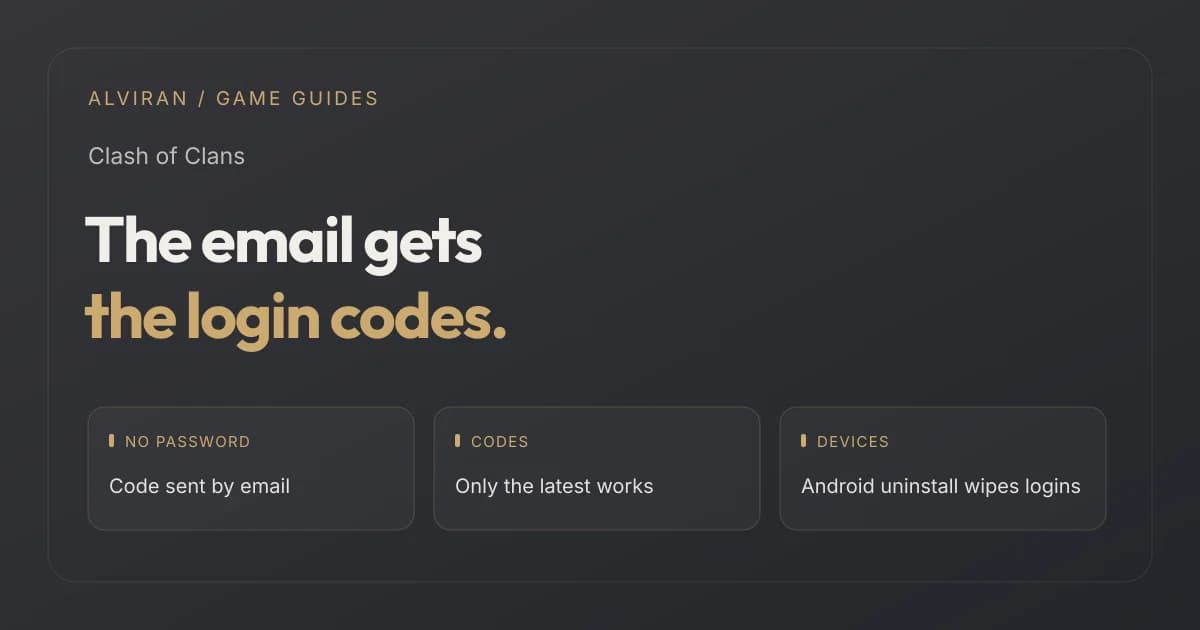
Looking for a Clash of Clans account?
Compare Town Hall, heroes and skins on every listing. This guide explains how the login on an account works.
1. What Supercell ID is
Supercell's guide to saving your account says setting up a Supercell ID is free and has no passwords. To log in, you enter the code Supercell sends to your email. You can sign up through any Supercell game, and the guide says that once you have one you can stop worrying about losing your progress.
Open Settings in the game
Find the Supercell ID option and tap it, then select “Create A New Supercell ID”.
Enter an email address
It must be valid and must not have been used for a Supercell ID before. News from Supercell is optional.
Enter the verification code
Supercell emails a code. Enter it and tap Submit.
Choose a name and avatar
The name becomes your Player ID. Supercell asks you not to use your real name or other personal information.
2. Moving to a new device and switching accounts
Supercell's multiple accounts guide calls Supercell ID the only supported method for playing several game accounts on the same device. Tick “Remember me on this device” when you create it, and you can switch between accounts without a verification code each time.
| Task | What Supercell says |
|---|---|
| Attach an account | Set up the device with the Google or Game Center account for that game account and open the game. Then open Settings, tap the button under the Supercell ID heading and follow the screen. One guide calls the button “Register New” and another “Create A New Supercell ID”. |
| Add a second account on a device | Set up the device with the Google or Game Center account for the second game account. Log out of Supercell ID in Settings, tap “Play without Supercell ID” on the loading screen, and that account loads. Then create a Supercell ID for it. |
| Save existing Supercell IDs on a new device | Log in with the first one, log out in Supercell ID options, then choose “Login with Supercell ID” and “Login with another ID” for the next one. |
| After a wipe | On Android, uninstalling the app removes the Supercell IDs saved on that device. On iOS, only a device reset removes saved logins. Repeat the steps to restore them. |
3. Verification code rules
| Rule | What Supercell says |
|---|---|
| Only the latest works | Each login and creation sends a new code, and only the most recent code is valid. |
| Three wrong codes | If you type the code incorrectly three times in a row, you cannot receive a new one for 24 hours. |
| Codes not arriving | Check the spam folder, make sure no rules move the emails, and search the inbox for “Supercell ID”. |
| Email already in use | Verification codes cannot be sent to an email that is already connected to a different Supercell ID. |
| Unsupported emails | Some email domains are not supported, and Supercell shows a message if you try one. |
Supercell's pages give different advice here. The multiple accounts guide is ambiguous: it speaks of “a Supercell ID” for all accounts, but its steps create one “also for this account” and later mention several Supercell IDs. The verification code help recommends attaching all your game accounts to one Supercell ID so you can switch without codes. We could not confirm from the sources which the current game accepts for several accounts of the same game, so check the in-game screens.
Ask who controls the login
The email on the Supercell ID matters as much as the base. Compare what a listing says about it with this guide.
4. Changing the Supercell ID email
The change email article says you can swap the email address on a Supercell ID with an existing or new one, from inside the game. Open Settings, choose Supercell ID, tap the cogwheel, then tap Change Email next to the current address. If you can still reach the current email, you confirm with a code sent to it. If you cannot, Supercell says you need to contact them through the game's Help and Info.
There is no limit to how many times you can change it. Supercell adds that changing the email may be disabled for accounts it deems unsecured, and that such accounts may not be able to receive verification codes.
What this means. Whoever controls the email on a Supercell ID receives the login codes, so a listing should say who holds it.
5. What a listing should say about the login
| Detail | What it shows | What it does not show |
|---|---|---|
| “Saved to Supercell ID” | That the account is linked to a Supercell ID. | Who controls the email behind it. |
| Player ID | The name chosen when the ID was created. | Anything about progress. |
| Recent email change | That the email was changed. | That the account is secure. Supercell can disable email changes on unsecured accounts. |
Progress is a separate question. Our rushed base checklist covers what to read in the base.
6. Five questions before you buy
- Is the account saved to a Supercell ID, and is that stated?
- Who holds the email behind the Supercell ID?
- Has the email been changed recently, and from where?
- Is the account free of recent security restrictions or recovery requests?
- Does the listing describe heroes and Town Hall as separate facts?
7. Four mistakes people make
Reusing an email
An email already connected to a different Supercell ID cannot be used for a new one, and no code is sent to it.
Using an old code
Only the latest code works, and three wrong entries in a row lock new codes for 24 hours.
Forgetting “Remember me”
Without it, Supercell ID asks for a code each time you log in.
Uninstalling on Android
It removes the Supercell IDs saved on that device.
Frequently asked questions
Does Supercell ID use a password?
No. Supercell says there are no passwords, and you log in with a code sent to your email.
How do I move a Clash of Clans account to a new device?
Log in with Supercell ID on the new device. Supercell's multiple accounts guide describes tapping “Disconnected” and then “Log in” in Settings, or “Login with Supercell ID” on the title screen.
Why is my Supercell ID code not working?
Only the most recent code works. Delete older code emails, and start the login again in the game.
What happens if I enter the wrong code three times?
You will not be able to receive a new verification code for 24 hours.
Can I change my Supercell ID email?
Yes, from inside the game, with no limit on how many times. Supercell says the option may be disabled for accounts it deems unsecured.
Can I play several accounts on one device?
Supercell says Supercell ID is the only supported method for playing several game accounts on the same device.
Ready to compare Clash of Clans accounts?
Check the login, then Town Hall and heroes. For hero levels by Town Hall, read our hero guide.
Sources and editorial scope
Reviewed on 12 October 2026 against Supercell's support articles Save Your Account With Supercell ID, Playing with Multiple Game Accounts, Help With Verification Codes and Change Your Supercell ID Email. Supercell changes menus and rules, so check the current text. The checklist is ALVIRAN editorial advice.
Supercell prohibits buying, selling and sharing accounts in its Terms of Service. Progress and access checks do not override those rules.