R6 Console MnK Is Live: Setup and Matchmaking Pools
Native mouse and keyboard support has been live on R6 console since July 14, 2026. Enable the PC and Consoles pool before you queue, because your input choice also determines matchmaking.
MnK comes to R6 console on July 14, 2026 with Y11S2.2.
Connect your mouse and keyboard, then set Crossplay and Input Devices to PC and Consoles. That enables MnK in menus and matches and places you in the PC crossplay pool. Console-only pools remain controller-only.
Choose an R6 profile that fits the pool you want to play.
Compare platform, operators, Black Ice and price in one clean view.
 BLACK ICE PREVIEW
July 14 adds native input, not a free lobby switch
Ubisoft confirms that Y11S2.2 introduces native mouse and keyboard support on consoles on July 14. The key detail is the Crossplay and Input Devices setting: it determines both which input devices are allowed and which matchmaking pool you enter.
Choose the pool before you choose the input
Native support does not remove the controller-only experience. It gives console players a clear choice between the PC crossplay pool and controller-focused console pools.
Mouse and keyboard or controller
Use either input, squad with PC and console players, and match in the PC crossplay pool with PC players and other opted-in console players.
Controller only
Squad with console players and match in the console crossplay pool with other console controller users.
Controller only
Use the platform-specific PlayStation or Xbox pool when you want to play only with controller users on that platform.
The Squad Leader sets the whole lobby
For a squad, Ubisoft uses the Squad Leader’s Crossplay and Input Devices setting to determine the matchmaking pool and allowed inputs. The game tells squad members which input can be used before the match starts.
Before you queue
Call the pool, not only the input. A controller player can still be in the PC crossplay pool. What matters is the leader’s selected pool and the opponents that come with it.
Simple squad check
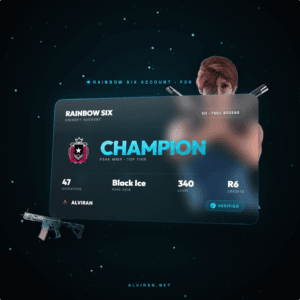
See the platform and inventory before you choose.
The important profile details stay visible, so the setup is easy to compare.
Four steps to set up native input properly
Update first
Wait for the Y11S2.2 mid-season update on July 14, then open the live client settings.
Choose the pool
Set Crossplay and Input Devices to PC and Consoles if you want mouse and keyboard in matches.
Connect your input
Connect the mouse and keyboard, then use the game prompt if it asks to change the setting.
Adjust controls
Use the Controls options to tune mouse sensitivity and remap controls before competitive matches.
Do not switch input halfway through a controller-only match
Ubisoft says only controllers remain allowed when a mouse and keyboard is connected after a console-only match begins. This keeps the pool consistent for the players who selected it.
POOL
BEFORE QUEUE
Set the intended input before matchmaking starts.
If a PC player joins a squad with a console-only selection, the setting locks to PC and Consoles while that player is present. Choose your group and input plan before the first queue, not while the match is already live.
R6 console input FAQ
When is MnK coming to R6 console?
MnK comes to R6 console with the Y11S2.2 mid-season update on July 14, 2026. The setting changes both the input devices you can use and the matchmaking pool you enter.
How do I use mouse and keyboard on R6 console?
Connect a mouse and keyboard to the console, then set Crossplay and Input Devices to PC and Consoles. That enables mouse and keyboard in menus and matches and places you in the PC crossplay pool.
Does using mouse and keyboard on console put me with PC players?
Yes. The PC and Consoles setting places console players in the PC crossplay pool with PC players and other console players who selected the same pool. Both controller and mouse and keyboard are allowed there.
Can controller players stay in a console-only R6 pool?
Yes. Console crossplay and platform-specific pools remain controller-only. Console crossplay matches console controller users, while PlayStation-only and Xbox-only pools match controller users on the selected platform.
Who decides the input pool when playing R6 in a squad?
The Squad Leader’s Crossplay and Input Devices setting determines the squad’s matchmaking pool and allowed input devices. Ubisoft says squad members are notified of the allowed input before entering a match.
What happens if I connect mouse and keyboard in a console-only R6 match?
Only the controller remains allowed. Ubisoft states that if mouse and keyboard is connected after a console-only match begins, the controller continues to work and the mouse and keyboard is not allowed in that match.
Can console players use text chat with a keyboard in R6?
Yes. Ubisoft says text chat arrives on console with Y11S2.2. A connected keyboard can be used to type, while controller users can use the console’s on-screen keyboard.
Is native R6 console mouse and keyboard the same as an adapter workaround?
No. This guide covers Ubisoft’s documented native console support and the Crossplay and Input Devices setting. It does not cover adapters, workarounds or ways to bypass a chosen matchmaking pool.
Queue the R6 profile that matches your setup.
Choose the platform, operators and inventory you want for the next Ranked run.
Related R6 guides
Editorial note: the July 14 date, allowed inputs, matchmaking pools, Squad Leader behavior, mid-match input handling and text chat details are checked against Ubisoft’s native input announcement cited above. This article covers documented native support only. Product availability, platform, visible contents and price should always be checked on the relevant listing before purchase.

