








Steam / Practical guide
Steam Family Sharing 2026: How Steam Families Works, the 6-Member Limit, Cooldowns and Rules
Steam Families has handled game sharing since 11 September 2024. Here are Valve's exact rules for members, cooldowns, shared copies, excluded games, parental controls and bans, plus the setup steps.
ALVIRAN Editorial · Reviewed 2026-11-07
In this guide
A Steam account with its own library
Every listing shows its games, level and ban status before checkout, so you know the library you get.
- Access
- Full Access
- Delivery
- Instant
- Guarantee
- 30 days
How Steam Family Sharing works in 2026
Steam Families is Valve's collection of family features. In its launch post of 11 September 2024 Valve says it "replaces both Steam Family Sharing and Steam Family View". There is no separate sharing switch any more. You create or join a family, and from that moment your shareable games are visible to the other members and theirs are visible to you.
The rules below come from Valve's Steam Families User Guide & FAQ. The FAQ is on version 7, last edited on 19 September 2024, and it was still the current version on 7 November 2026.
- A family library appears in your games list. It is a subsection of your library. Choose "Group By Library" in the dropdown above the game list to see it as a separate block.
- Ownership does not move. The buyer keeps the game. New purchases still go into the buyer's own collection.
- Progress is personal. Each member gets their own saves, their own Steam achievements and their own Workshop access in a shared game. Achievements are tied to the individual account; how saves work depends on the game.
- Everything shareable is shared. Valve's launch FAQ says that by joining a family "all games are automatically shared". An adult cannot hide a single game from another adult. Only children can be restricted, through parental controls.
- Shared DLC follows the owner. When you launch a family member's game, you get the DLC that member owns and that the publisher marked as shareable.
- Offline play works. Games from the family library can be played offline if the game supports Family Sharing.
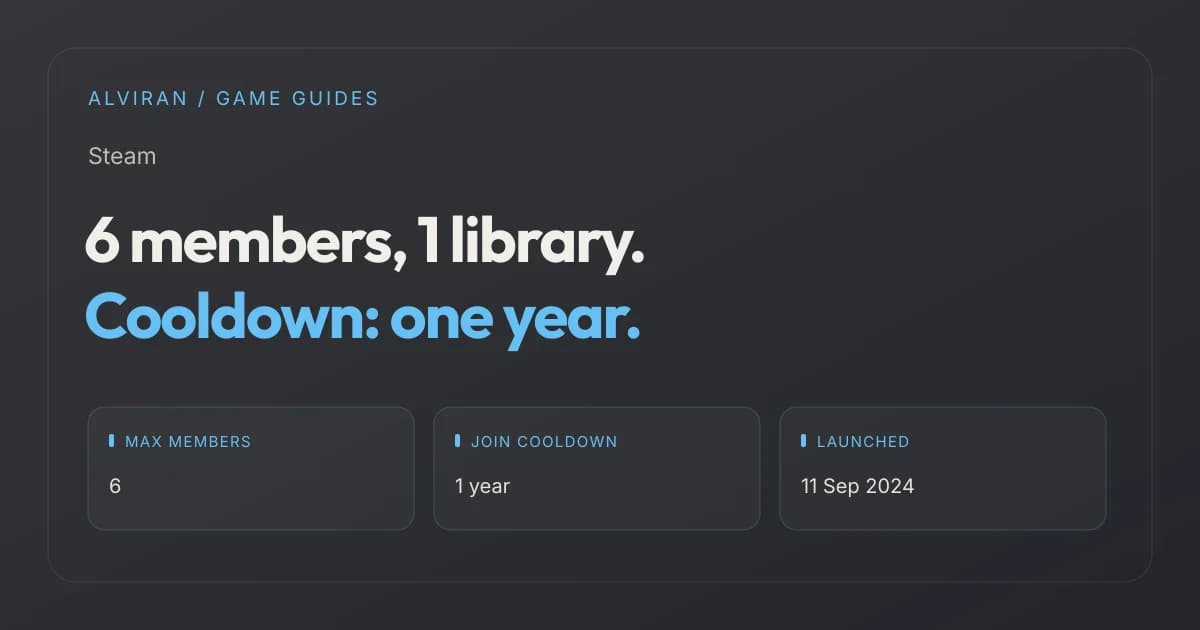
Members: up to 6 per family (the creator plus 5 invites)
Roles: adult or child
Copies: one player per owned copy at a time
Leave cooldown: 1 year from joining the previous family
Slot cooldown: 1 year before a freed slot can be filled
Managed from: Steam Client, Steam Mobile App or web browser
Steam family sharing limit: how many members, adults and children
A Steam Family can contain up to 6 members. Valve's launch post phrases it as "create a Steam Family and then invite up to 5 family members", so the account that creates the family counts toward the six. Valve's FAQ describes the intended group as "a household of up to 6 close family members".
There is no separate quota for adults and children. Valve's documents only set the total of six, so any mix of the two roles is allowed. In practice a family needs at least one adult, because only adults can send invites, remove members and set parental controls.
| Rule | Value | Valve source |
|---|---|---|
| Maximum members | 6 per family | Support FAQ, launch post |
| Invites per family | Up to 5 besides the creator | Launch post |
| Separate adult or child cap | None stated | Support FAQ |
| Families per account | 1 at a time | Support FAQ |
| Players per owned copy | 1 at a time | Support FAQ |
| Adult leave or create cooldown | 1 year from joining the previous family | Support FAQ |
| Slot cooldown | 1 year | Support FAQ |
| Child account recovery | After 30 days in the family | Support FAQ |
Valve also reserves the right to change these numbers. The launch FAQ says it may adjust "the requirements for participating in a Steam Family or the number of members over time". As of 7 November 2026 the limit is still six.
Your family is supposed to be one household. Valve's troubleshooting list says you may be blocked from joining if "your account activity does not show that you are part of the same household as the existing members". Valve does not publish what that check looks at.
Steam family cooldown: leaving, being removed and rejoining
The cooldowns are the rule people trip over most. Valve's FAQ sets two separate one-year timers, and both can apply at once.
- The member cooldown. Adults can leave at any time, but "they will need to wait 1 year from when they joined the previous family to create or join a new family." The clock starts when you joined, not when you left. Someone who joined 14 months ago and leaves today can join a new family right away.
- The slot cooldown. "Each Steam Family slot has a cooldown of one year before a new member can occupy that slot." A seat that someone vacated, by leaving or by being removed, cannot be given to a new account for a year.
Valve states both timers as "1 year" and "one year". It does not give them as a number of days, so we do not convert them. When you try to join a family, Steam shows how much time is left on your cooldown.
| Situation | What Valve's rules say |
|---|---|
| An adult leaves and wants a new family | Must wait until 1 year has passed since joining the family they left |
| An adult wants to create a new family after leaving | Same 1-year wait; creating counts like joining |
| You left by accident and want back in | You can rejoin the last family you were in without waiting, if it has fewer than 6 members |
| An adult removes another member | Allowed at any time; the freed slot has a 1-year cooldown |
| A child wants to leave | Not possible; an adult in the family or Steam Support must remove the child |
| An account joined as a child by mistake | Contact Steam Support and ask to be removed |
| A family with all 6 slots used, one in cooldown | Only 5 accounts can be in the family until that slot's year runs out |
The rejoin exception is narrow. It only covers the most recent family you were in, and only while that family has a free slot. Valve's FAQ answers the question "Do I have to wait a year to rejoin?" with a plain "No" under those conditions.
Valve's troubleshooting section names three reasons you cannot join a family: the household check, your own cooldown from a previous family, and slots of the target family that are still in cooldown. Plan the members carefully before you invite anyone. A single test invite to the wrong account can block a slot for a year.
Steam accounts with the games already on them
When a game cannot be shared, it has to be on the account itself, and each listing names the games it holds.
- Access
- Full Access
- Delivery
- Instant
- Guarantee
- 30 days
Steam family sharing region rules
Steam Families has no published "same country" rule. What Valve does publish are two region-related limits.
- Content restrictions. A game or DLC that is restricted in your region or in the other member's region cannot be shared. Sharing does not unlock a game that is not sold or not allowed where the borrower lives.
- The household check. Valve expects the family to be one household and can refuse a join when "account activity" does not show a shared household. Valve does not explain how it measures this, so we do not guess at the signals.
The old system had the same limit. PCPer's report on the 2014 release noted that Family Library Sharing "does not get around region locks".
Steam Families parental controls for child accounts
Parental controls only apply to members added as a child. Valve's advice is simple: add an account as a child if you expect to limit which games it can play and how long and when it can play them, otherwise add it as an adult. Child accounts are meant for accounts that parents or guardians create for their children.
| Control | What it does |
|---|---|
| Game access | Allow only the games you consider appropriate |
| Steam Store access | Restrict the store |
| Community access | Restrict Steam Community features |
| Friends chat | Restrict chat |
| Playtime limits | Hourly and daily limits |
| Playtime reports | See what the child played and for how long, also from the mobile app |
| Requests | Approve or deny requests for extra playtime or feature access, temporarily or permanently |
| Purchase requests | The child sends a cart; an adult pays from a phone or by email and the games go to the child's account |
| Account recovery | An adult can recover the child's login after the child has been in the family for 30 days |
To switch them on, an adult opens Account Settings, then Family Management, then Manage, expands the child's entry and toggles "Enable Parental controls". The panel that appears holds game access, feature access and playtime limits. The Recover Account button sits in the same place, and it only appears 30 days after the child joined and only for adults.
Valve has kept fixing the controls since launch. The Steam Client update of 1 April 2025 fixed child accounts in a family getting extra playtime after switching to offline mode, and the 9 March 2026 client update improved the Steam Families settings layout and navigation on desktop, Steam Deck and mobile.
Family View, the old PIN-based system, is gone. Its support page now says it "has been replaced by Steam Families' parental controls". If you add a child whose account used Family View, the old settings move to parental controls and the PIN is removed.
What happened to the old Steam Family Library Sharing
Family Library Sharing was the first version. Valve announced it in September 2013 and opened it to all users after a six-month beta. PC Gamer's report of 28 February 2014 sums up the old limits: up to 10 computers, up to five accounts, and only one account playing from a library at a time, with the owner always taking priority.
Steam Families replaced it. Valve opened the Steam Families beta on 18 March 2024 and released it to everyone on 11 September 2024. The old feature pages are gone: on 7 November 2026, store.steampowered.com/promotion/familysharing and store.steampowered.com/sharing both redirect to the Steam Families launch post.
| Topic | Family Library Sharing (2014 to 2024) | Steam Families (since 11 Sep 2024) |
|---|---|---|
| Who can join | Up to 5 accounts on up to 10 authorized computers | Up to 6 members, no device authorization |
| Concurrent play | One account per library at a time | One player per copy; different games at once |
| Owner playing | Owner had priority; the borrower got a few minutes to save and quit or buy | Owner can play another game while a member plays theirs |
| Setup | Each computer was authorized from the owner's account | Invite an account to the family from any device |
| Parental controls | Separate Family View with a PIN | Built in for child accounts, no PIN |
| Cooldowns | No family to join, so no family cooldown | 1 year to join a new family; 1 year per freed slot |
| Excluded games | Third-party key, account or subscription; VAC-banned games | Same exclusions carried over, plus the list above |
If you used the old system, Valve's advice is to set up a Steam Family. Steam then suggests inviting the accounts you used to share with. Your old opt-outs and game eligibility carry over automatically.
VAC bans and Steam Family Sharing: who gets banned
This is where a family can hurt the owner. Valve's launch FAQ answers it directly: "If a family member gets banned for cheating while playing your copy of a game, you (the game owner) will also be banned in that game. Other family members are not impacted."
| Who | Effect | Source |
|---|---|---|
| The member who cheated | Banned | Launch FAQ |
| The owner of the copy used | Also banned in that game; Steam Family privileges may be revoked and the account may be VAC banned | Launch FAQ, Support FAQ |
| Other family members | Not affected | Launch FAQ |
| The banned game afterwards | VAC-banned games cannot be shared between accounts | VAC FAQ |
The Support FAQ adds that not every VAC-protected game is shareable at all. VAC bans themselves are permanent: Valve's VAC page says they "cannot be removed by Steam Support".
Games with their own anti-cheat follow the same logic on the developer's side. The Steamworks documentation tells developers who run a ban system other than VAC that they may need to check ownership "in case both the player and the original game owner need to be banned". Games can detect a shared copy with ISteamApps::BIsSubscribedFromFamilySharing and find the owner with ISteamApps::GetAppOwner, or check from a server with the ISteamUser/CheckAppOwnership Web API, where a shared copy returns permanent as false. Valve also says shared licenses are temporary and family members should not get permanent ownership rights on a game's backend.
Valve's own advice: only invite trusted household members, and never give your password to anyone. A Steam Family is the supported way to share games. Handing over a login is not.
How to set up Steam Family Sharing, step by step
You can manage a family from the Steam Client, the Steam Mobile App or a browser. These steps follow Valve's Support FAQ.
- Open the Steam Store, click your account name and choose Account Details.
- Open the Family Management section.
- Click Create a Family and enter a name. You can change the name later at any time.
- Click Invite a Member and pick or search for the account you want to add.
- Choose adult or child for that member. Adults can manage invites and restrictions; children follow parental controls.
- The invited account gets an alert and accepts the invite. Its shareable games then appear in everyone's family library.
- For a child, go to Account Settings, Family Management, Manage, expand the child's entry and toggle Enable Parental controls.
- In the library, use Group By Library if you want family games shown separately.
Before you invite
Check that the account has no cooldown left from a previous family, and that you really want it in a slot for a year.
If the invite fails
Steam tells the account how long its cooldown lasts. The other causes are a slot in cooldown or the household check.
If a game is missing
It is most likely excluded: free to play, third-party account, region, OS, private or opted out.
The family library keeps getting small additions. In the Steam Client beta of 15 October 2026, Valve started showing games played through Family Sharing in the Games List and made friends with Family Sharing playtime eligible for achievement comparison.
Steam Family Sharing timeline
| Date | Event |
|---|---|
| Sep 2013 | Valve announces Family Library Sharing and starts a beta |
| 28 Feb 2014 | Family Library Sharing opens to all users, per PC Gamer |
| 18 Mar 2024 | Steam Families enters the Steam Client beta |
| 11 Sep 2024 | Steam Families launches for all users and replaces Family Sharing and Family View |
| 19 Sep 2024 | Latest edit (version 7) of the Steam Families Support FAQ |
| 1 Apr 2025 | Client fix: child accounts no longer gain extra playtime in offline mode |
| 9 Mar 2026 | Client update improves Steam Families settings on desktop, Deck and mobile |
| 15 Oct 2026 | Client beta shows Family Sharing games in the Games List |
For other Steam reference data, see our Steam level XP chart, the most played Steam games in 2026 and the best-selling Steam games. If you plan to buy games for the family library, the Steam sale calendar lists the next sale dates.
Frequently asked questions
How many people can be in a Steam Family?
Up to 6 accounts: the creator plus up to 5 invited members. Valve sets no separate limit for adults or children.
How long is the Steam family cooldown?
One year. An adult who leaves must wait 1 year from the day they joined that family before creating or joining another, and a freed slot cannot be filled for 1 year.
Can I rejoin my Steam Family after leaving?
Yes, without waiting, if it is the last family you were in and it has fewer than 6 members when you try.
Can two people play the same game with Steam Family Sharing?
Only if the family owns two copies. Each copy can be played by one member at a time, but members can play different games from the same owner at once.
Why can't I share a game with my Steam Family?
The game is probably excluded: free to play, needs a third-party account, key or subscription, is restricted in a member's region, does not support their OS, was opted out by the publisher, is marked private, or is VAC banned.
If my family member cheats, do I get banned?
Yes, in that game. Valve says the game owner is also banned if a member is banned for cheating in their copy; other family members are not affected.
Does Steam Family Sharing still exist?
Yes, as part of Steam Families since 11 September 2024. The old Family Library Sharing with 10 devices and 5 accounts was replaced, and its pages now redirect to the Steam Families post.
Can a child leave a Steam Family?
No. A child account must be removed by an adult in the family or by Steam Support.
Your own Steam library instead of a borrowed one
A shared copy is a temporary license; an account library stays yours to play without waiting for a free copy.
- Access
- Full Access
- Delivery
- Instant
- Guarantee
- 30 days
Sources and editorial scope
Reviewed 7 November 2026. Rules, limits, cooldowns, exclusions and setup steps: Valve's Steam Families User Guide & FAQ (version 7, edited 19 September 2024) and the Steam Families is here post of 11 September 2024. Beta date: Introducing Steam Families. Developer side: Steamworks Steam Families documentation, ISteamApps and ISteamUser. Bans: Valve's VAC FAQ. Family View: Family View support page. Later changes: Steam news posts of 1 April 2025, 9 March 2026 and 15 October 2026. The old Family Library Sharing limits come from PC Gamer and PCPer, because Valve's original FAQ for it no longer returns content. Community discussion: the Steam Families group. We did not test the household check, which Valve does not document.
The Steam Subscriber Agreement does not allow you to sell your Steam account or otherwise transfer it. Joining a Steam Family does not give anyone permission to sell, share or transfer a Steam account.